How to book a courier in Sellvik
Nobody enjoys typing every customer's name and address into the courier's app a second time. In Sellvik you connect your courier once. After that, booking happens from your orders list, in a few clicks.
First, introduce your courier
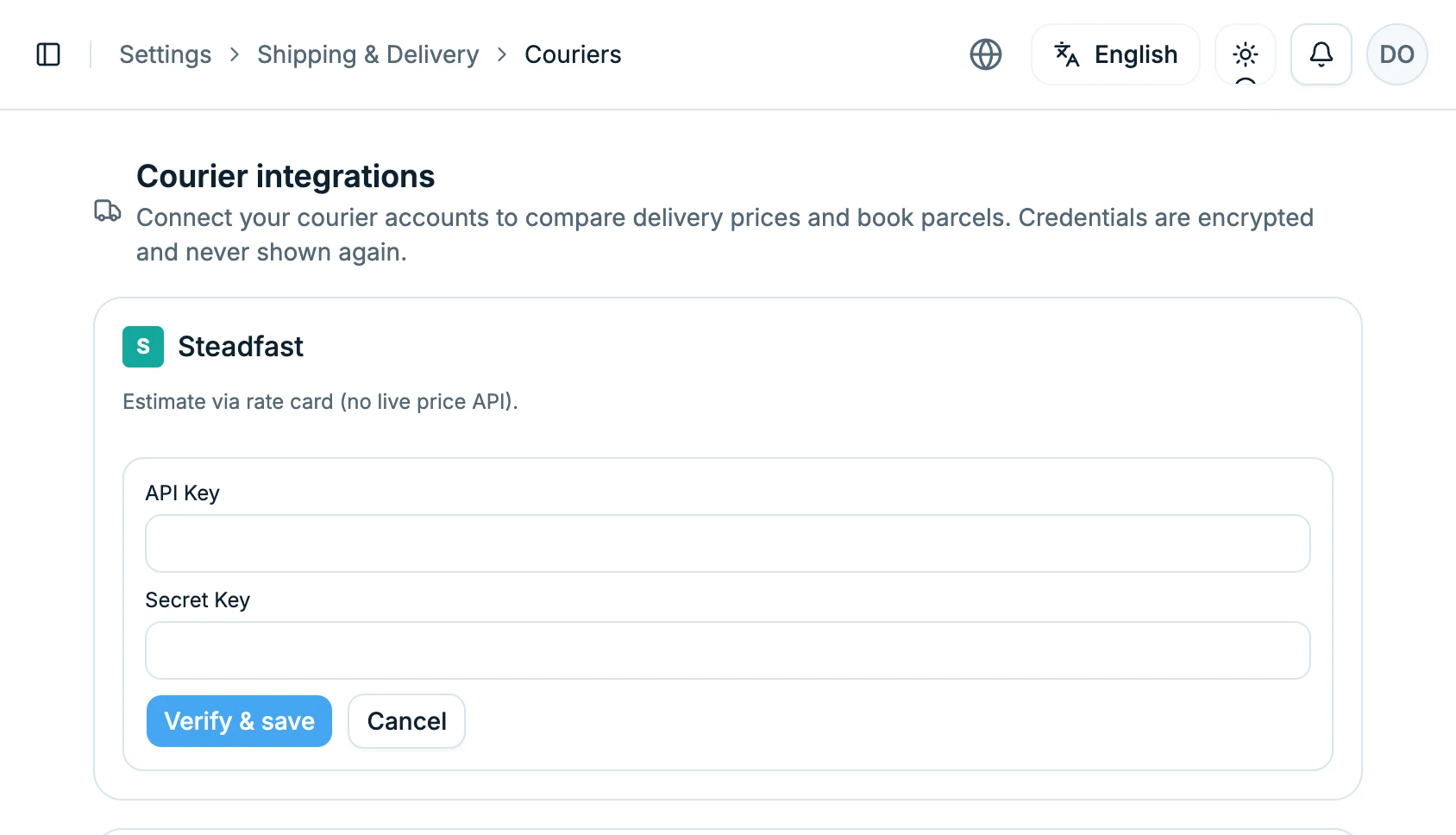
Go to Settings, then Shipping & Delivery, then Couriers. Click “Connect” next to Steadfast. Two boxes appear: API Key and Secret Key. You will find both in the API section of your Steadfast dashboard. Put them in and click “Verify & save”. You only do this once.
Tell Steadfast where to send the news
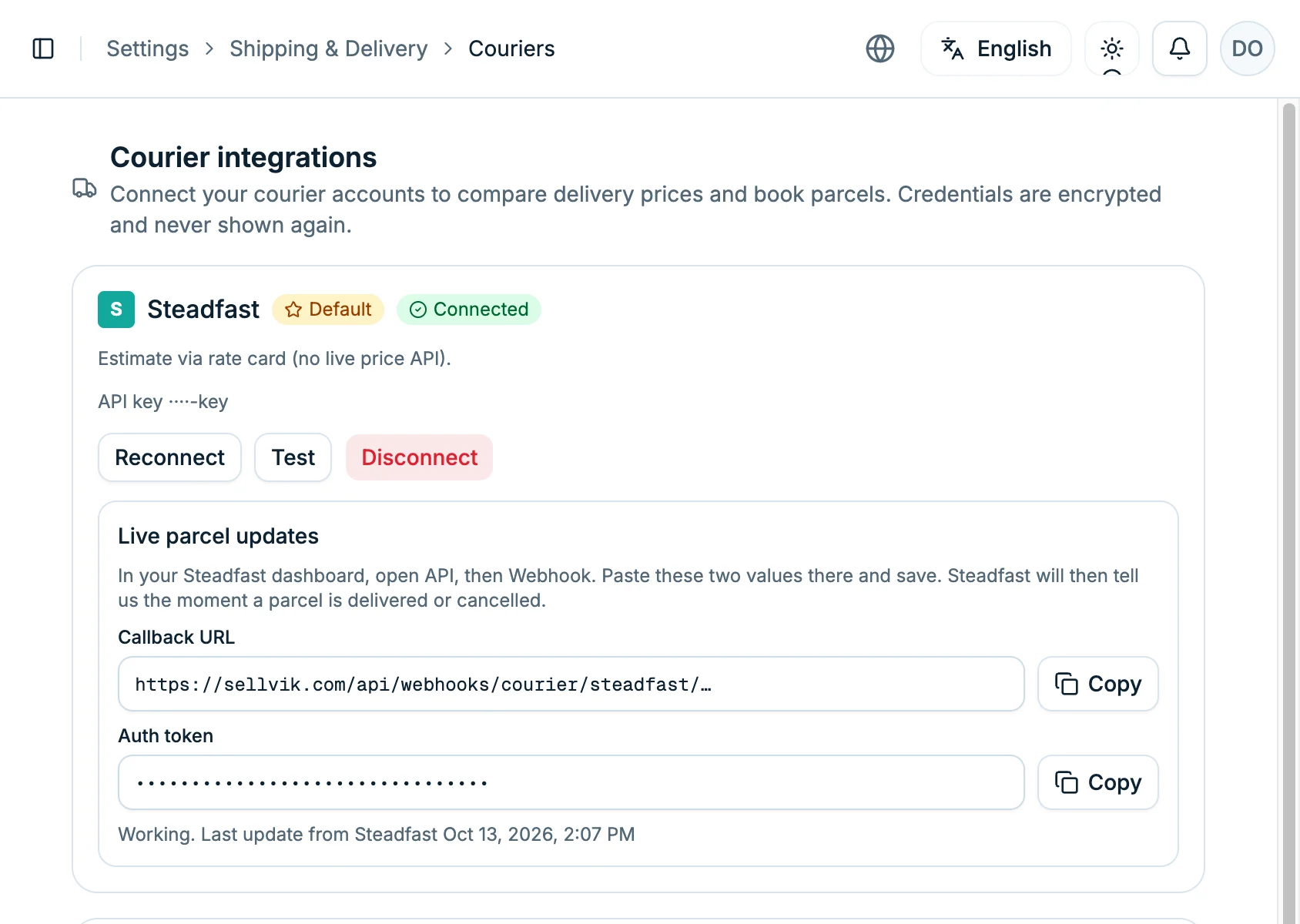
Once connected, two things appear below: a Callback URL and an Auth token. Click “Copy” on each. Then in your Steadfast dashboard open API, and inside it Webhook. Paste both there and save. That is all. From now on, whenever something happens to a parcel, Steadfast comes and tells us.
Pick the order you are sending
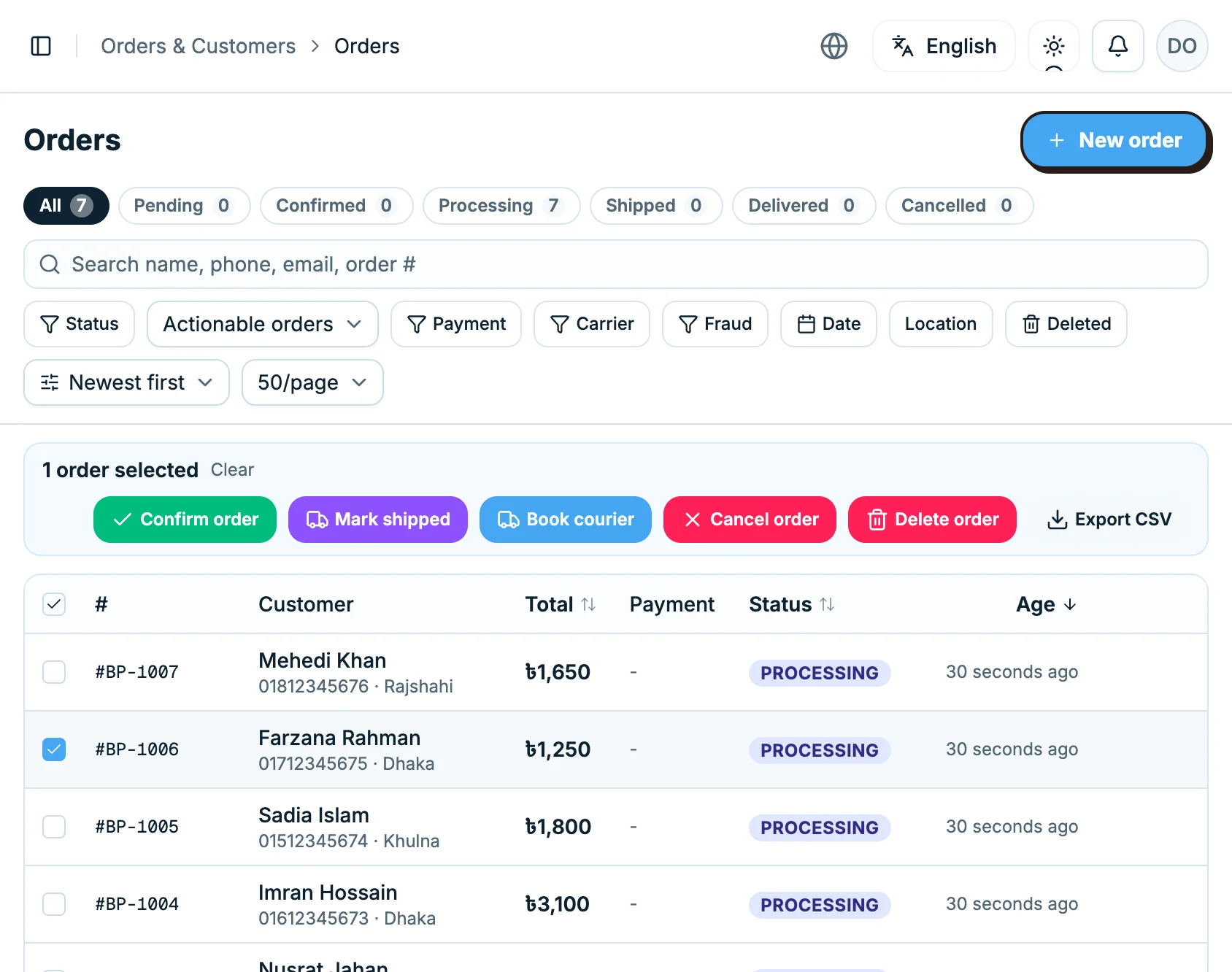
Open your orders list. Tick the box beside the order you want to send. To send several together, tick them all. On a phone there is no box: press and hold the order instead.
Click “Book courier”, then check the details
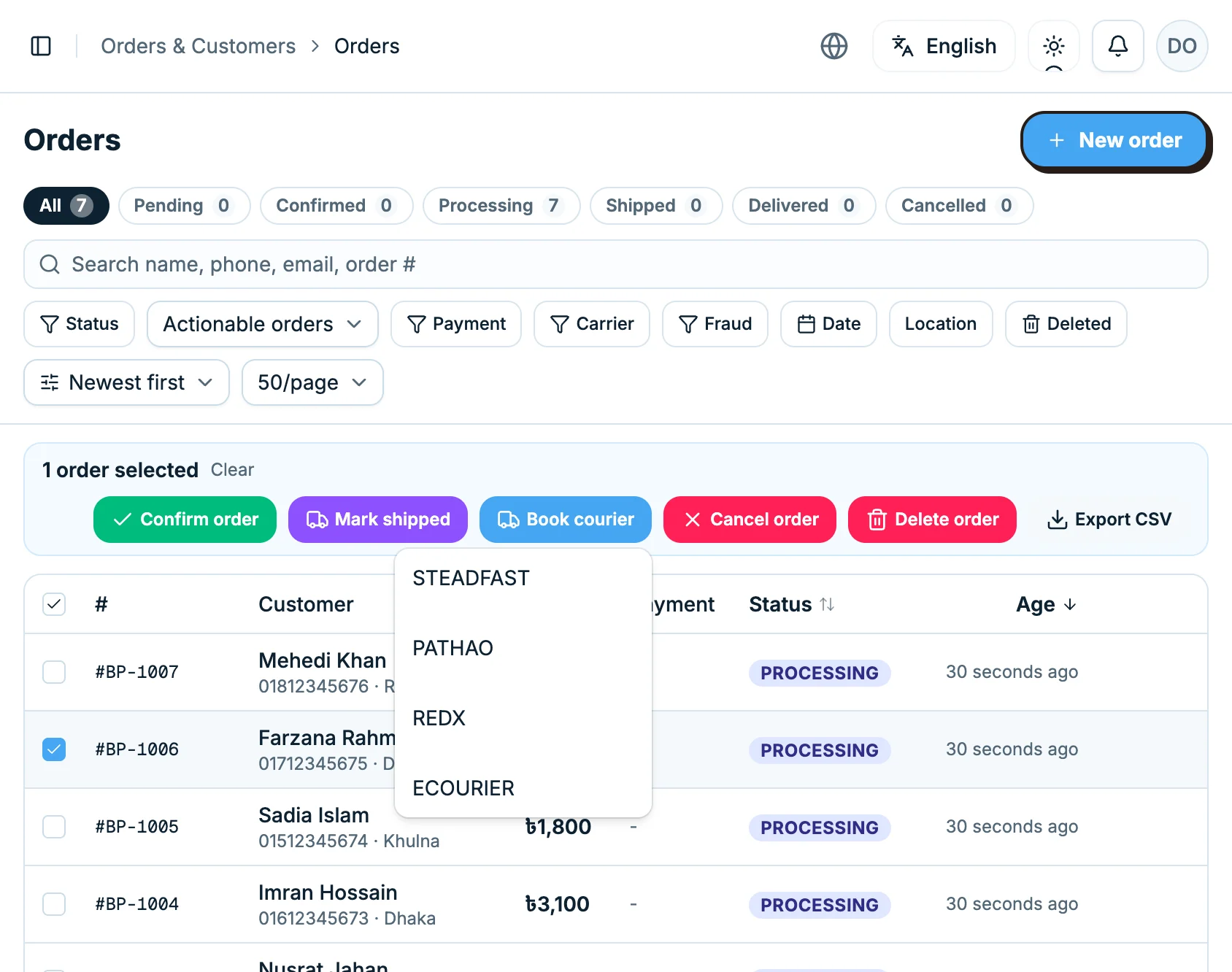
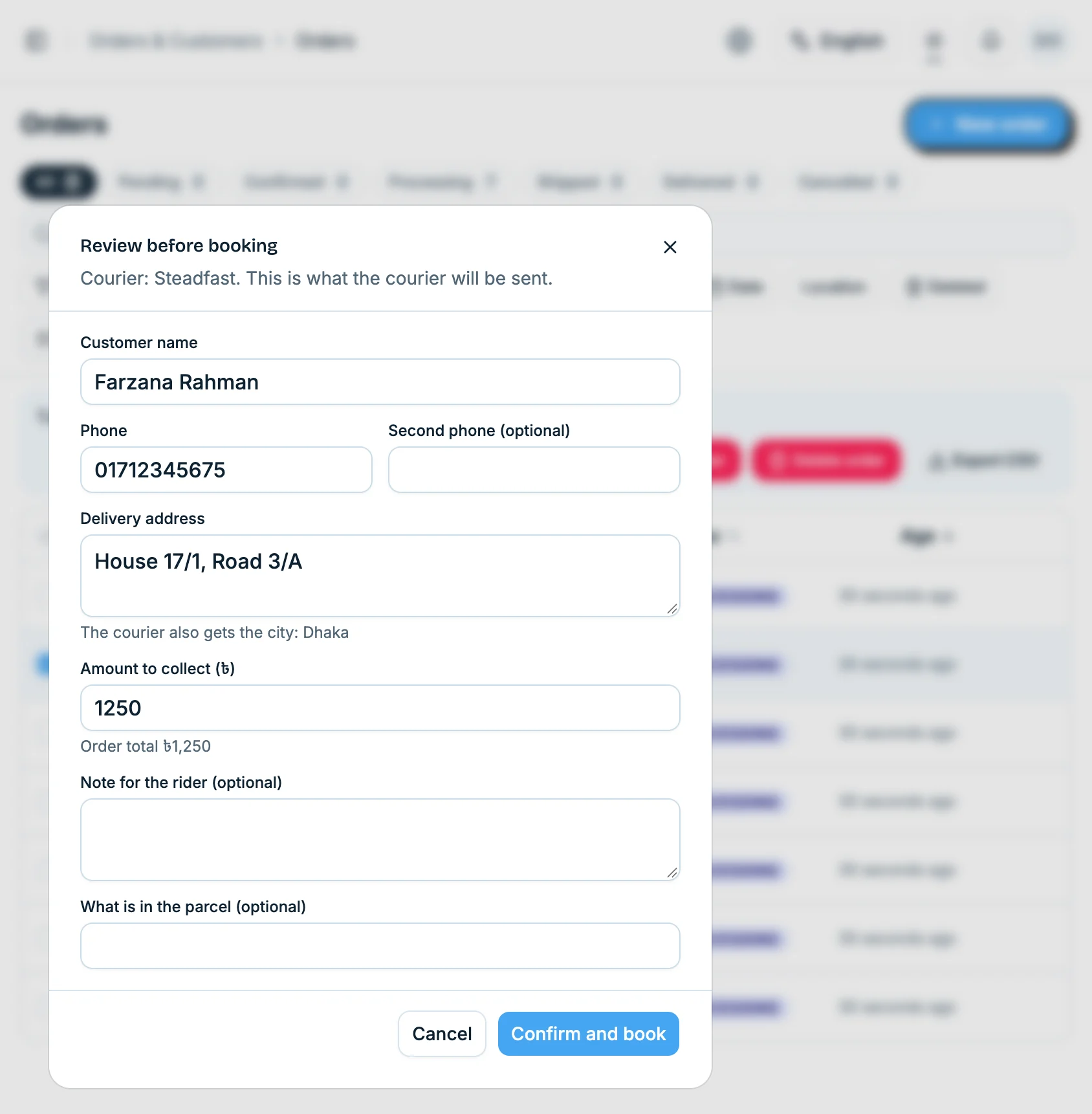
A row of buttons appears above the list. Click the blue one, “Book courier”, and choose STEADFAST. Nothing is sent yet. Sellvik first shows you what the courier is about to get: the customer's name, phone, address, the amount to collect and your note for the rider. If something is wrong, fix it right there. A phone number the courier would refuse is pointed out in red. When it all looks right, click “Confirm and book”.
The number arrives
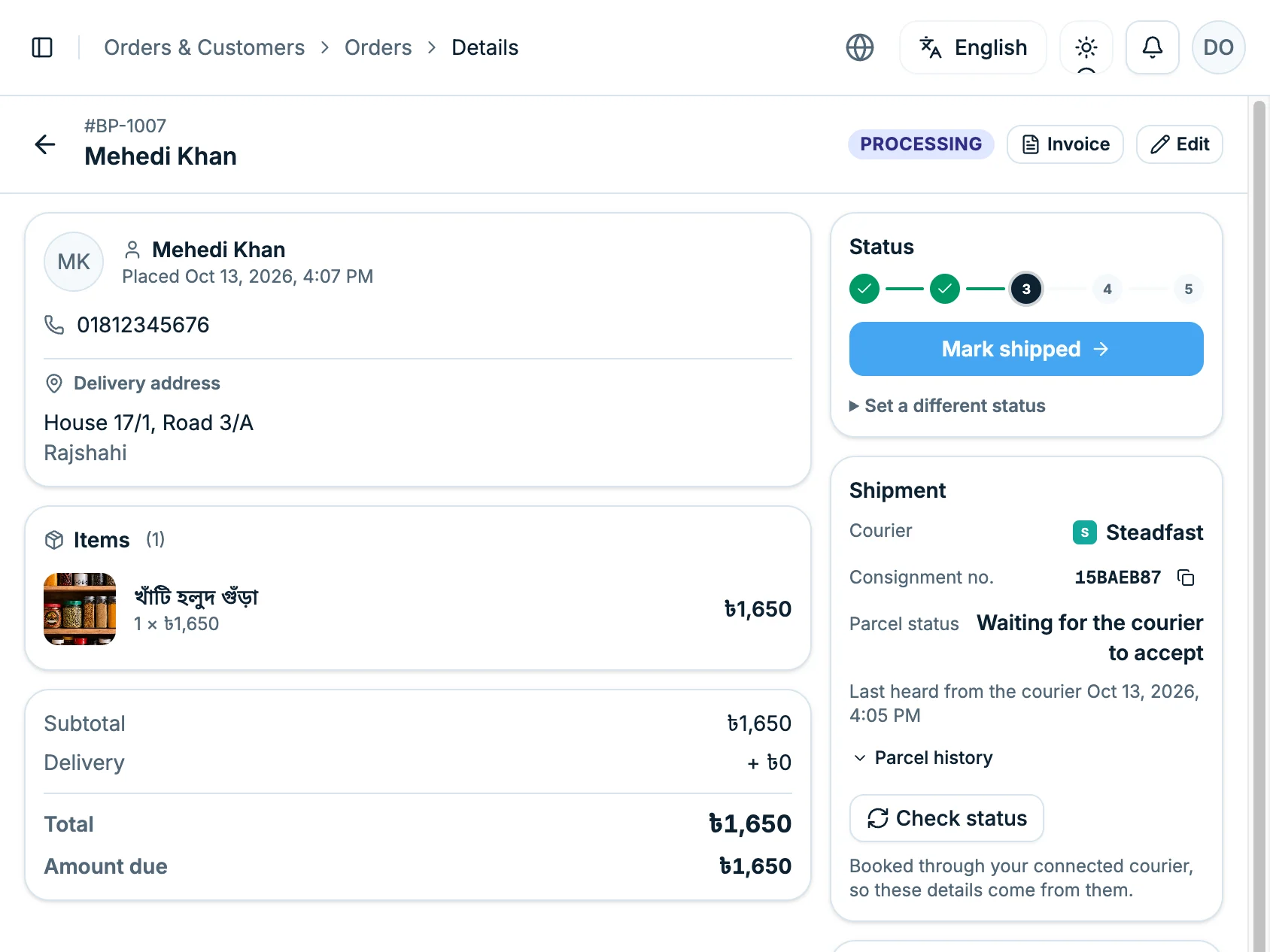
Now open the order. On the right, the Shipment box shows the courier and the consignment number. Click the small icon beside it to copy the number. The status reads “Waiting for the courier to accept”. It means the courier is looking at the booking. Nothing to worry about.
Where the parcel is now
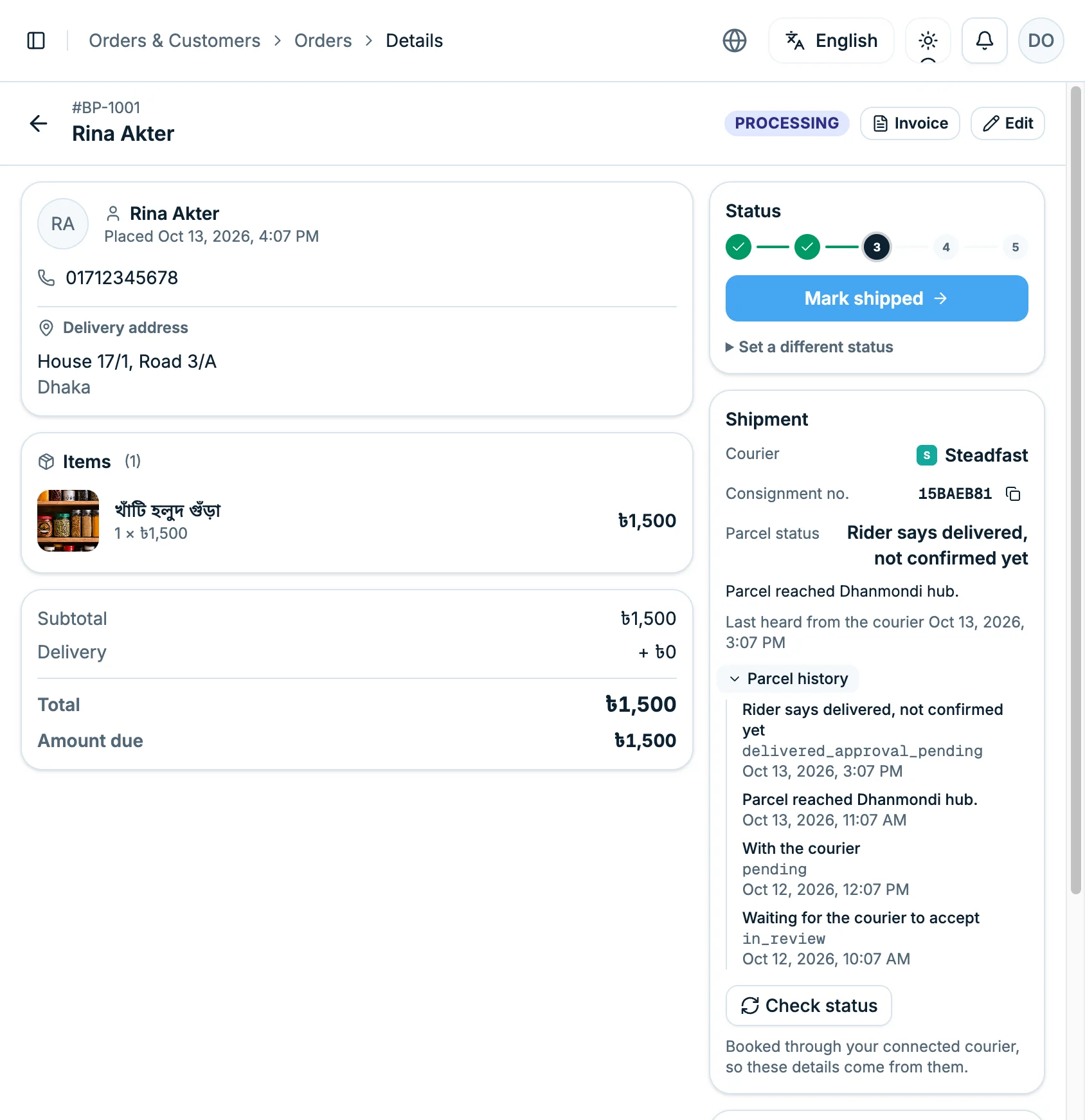
You do not have to keep asking. As the parcel moves, this box changes by itself. If you want to know right now, click “Check status”. Open “Parcel history” to see where it has been, and when.
If it is not delivered
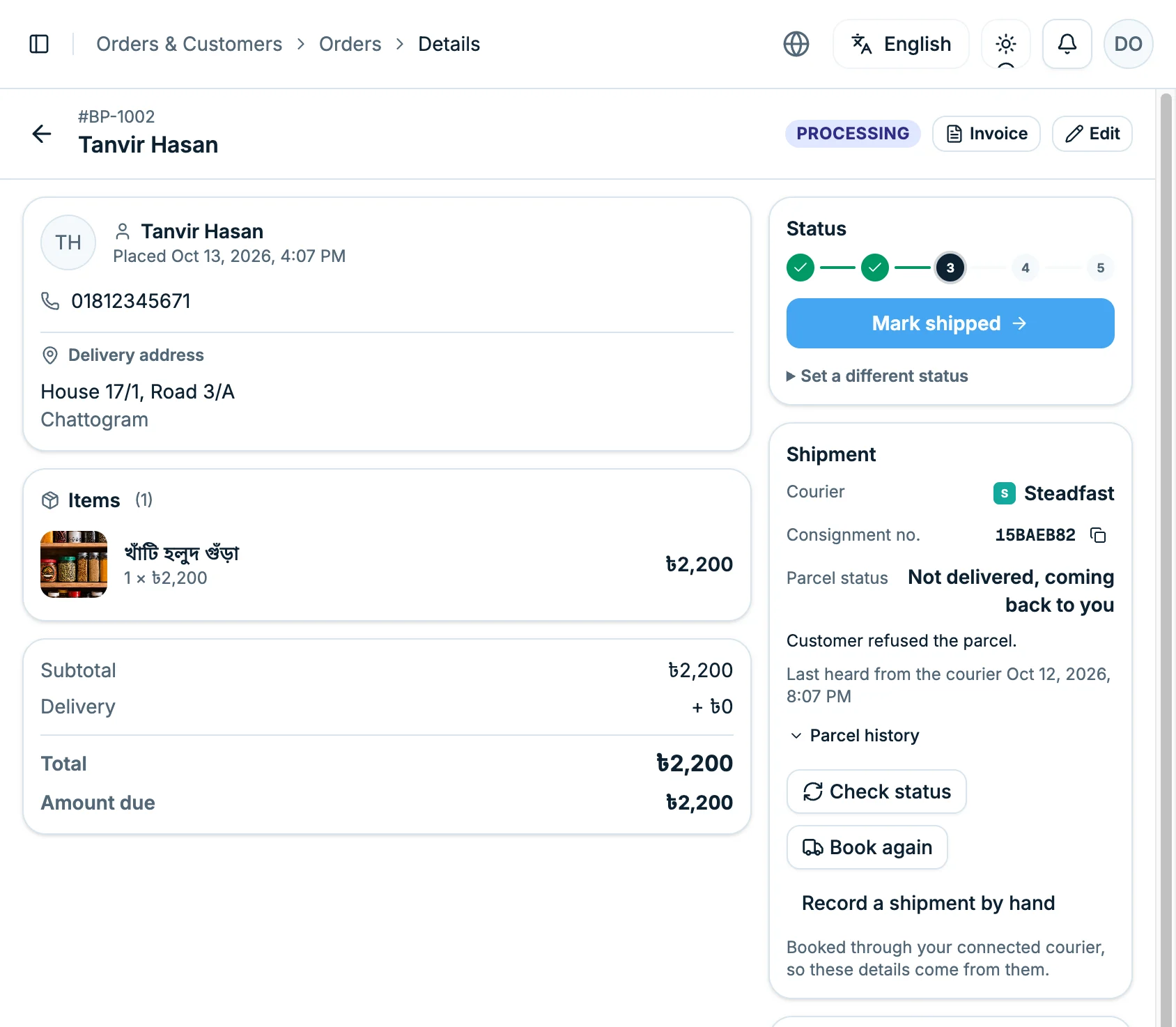
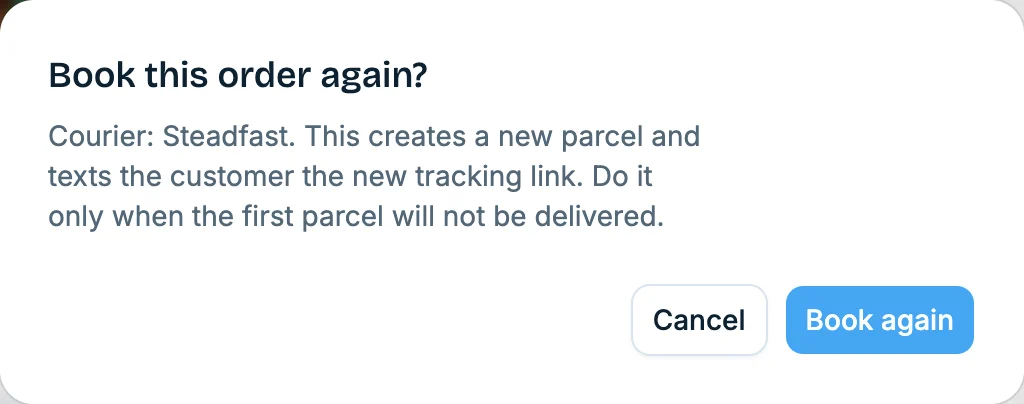
Not every parcel arrives. When one does not, this box says “Not delivered, coming back to you”. After talking to the customer, if you want to send it again, click “Book again”. Sellvik asks you once first, because this creates a new parcel.
Before you go
If your own rider delivers
You can write the courier's name and number into the Shipment box yourself, so the order's record stays complete.
And after booking?
Where the parcel goes, when the money reaches you, and what to do when it comes back.
What happens after you book a parcel? →Your shop, your courier, one place
Open a shop on Sellvik and book your next parcel from the order itself.
Open your shop on Sellvik